

23 Best Information Technology Resume Examples and Templates for 2025



A good system administrator resume focuses on your relevant skills like user support, server maintenance, or network security protocols. Give examples of your success as a system administrator or in similar roles, and show your knowledge base by citing any degree or certificate programs you’ve done. This guide provides expert tips to help you create a persuasive resume showing your best system administrator qualifications.
Key takeaways:
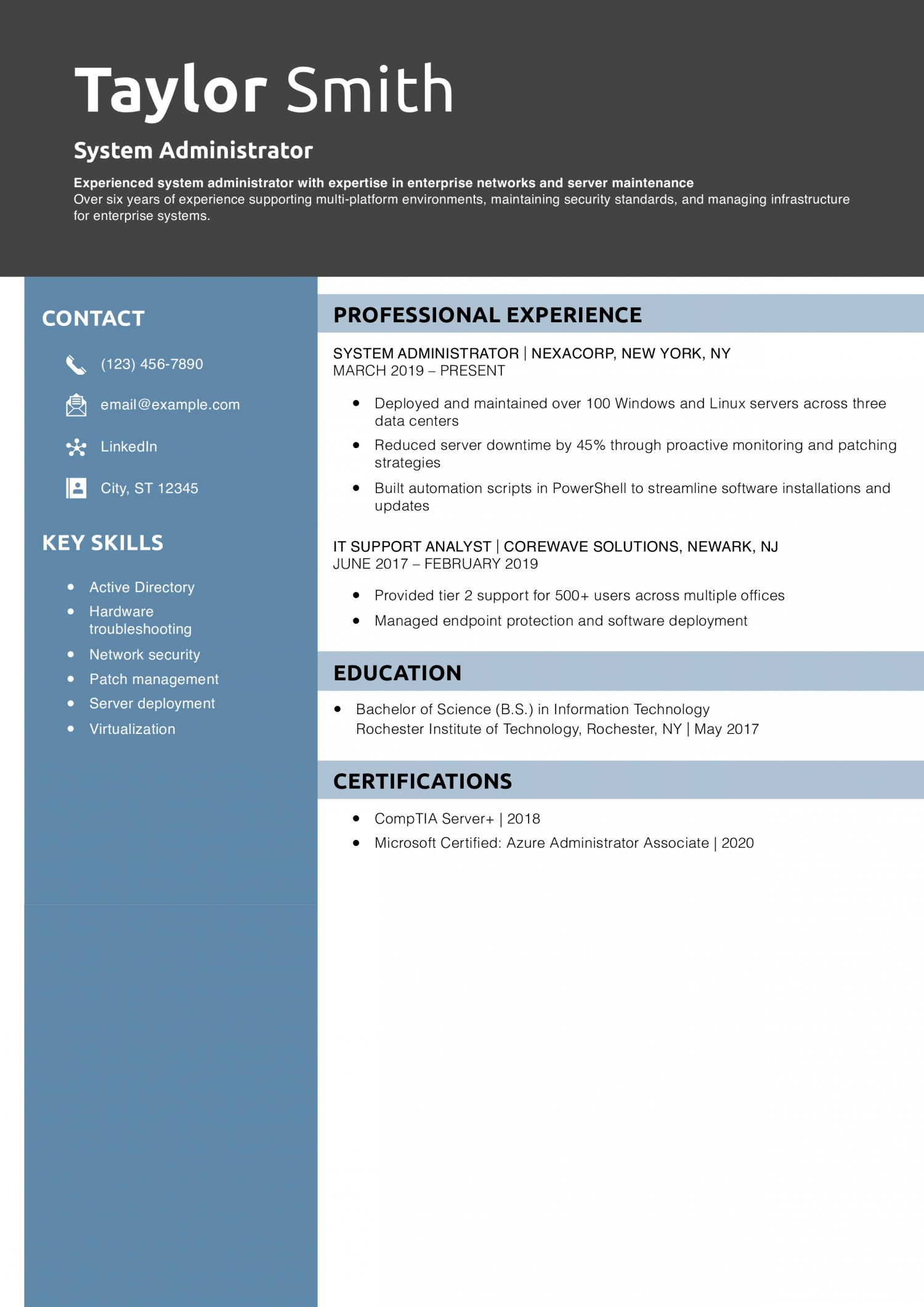
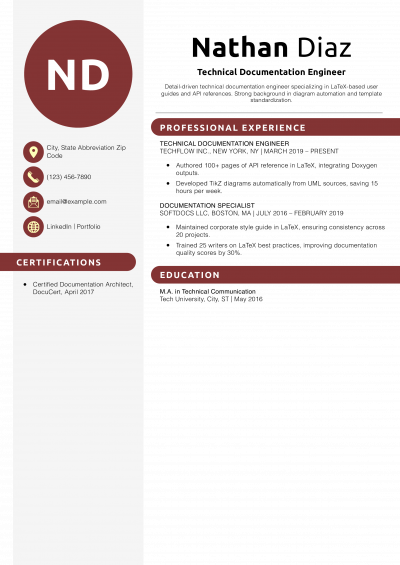
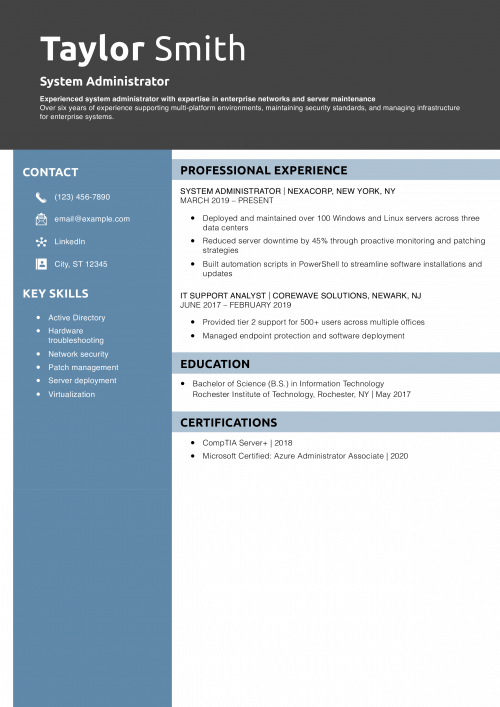
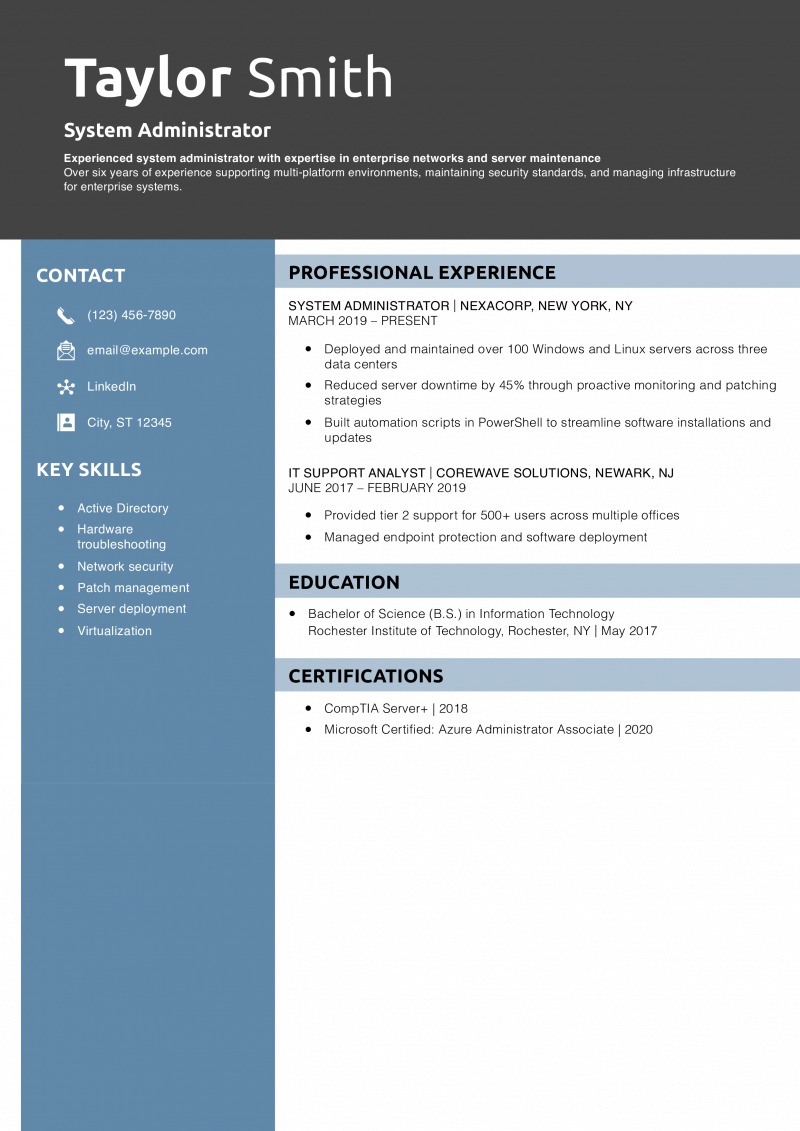
Taylor’s resume demonstrates clear career progression with quantifiable achievements. The standouts are the PowerShell scripting and server performance improvements.
Want more examples? Explore how to write a resume summary.
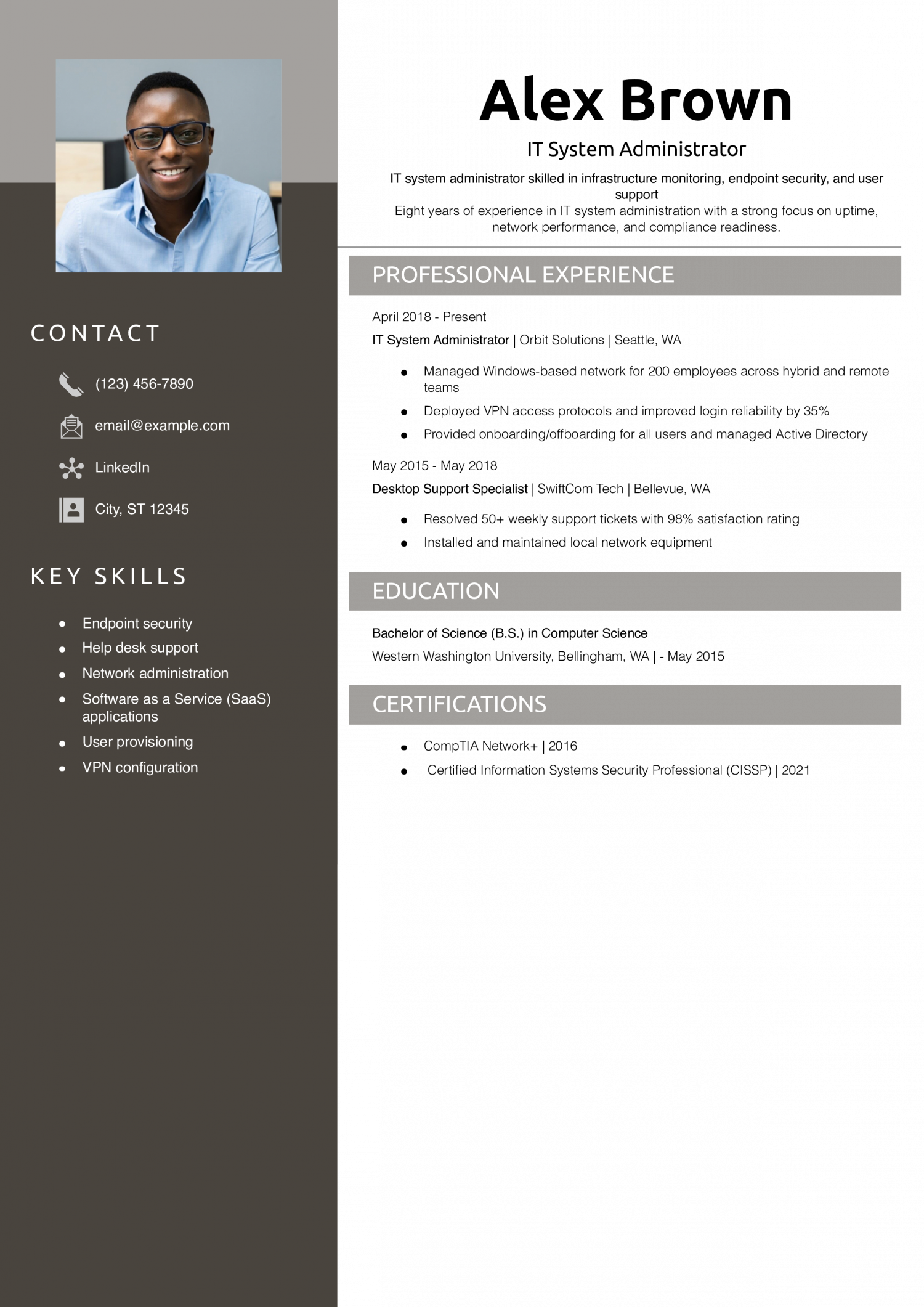
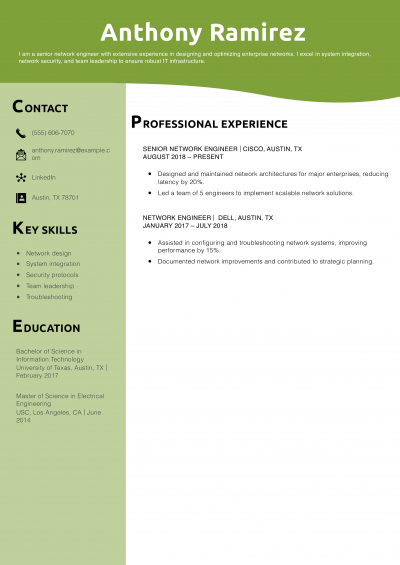
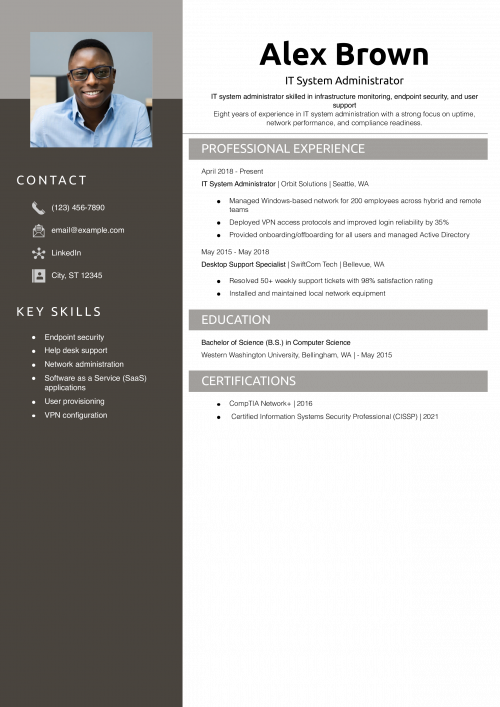
Alex blends user-facing experience with core infrastructure responsibilities. Their resume is accessible but shows technical strength and system impact.
Learn more at what to put on a resume.
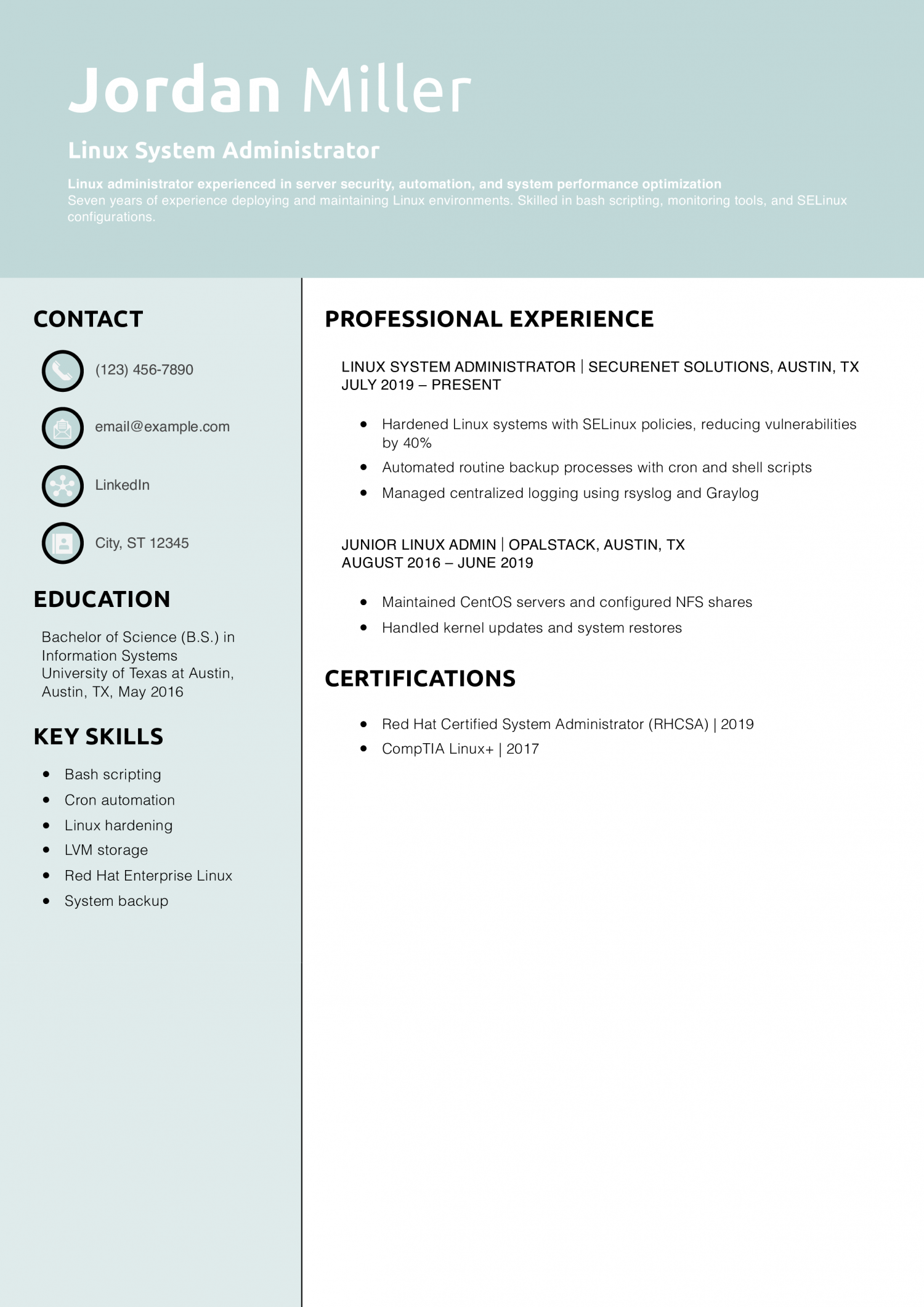
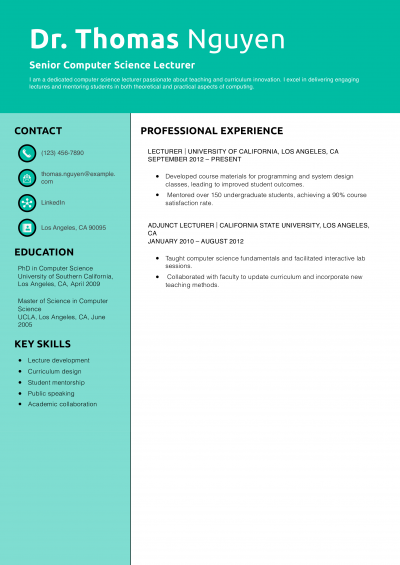
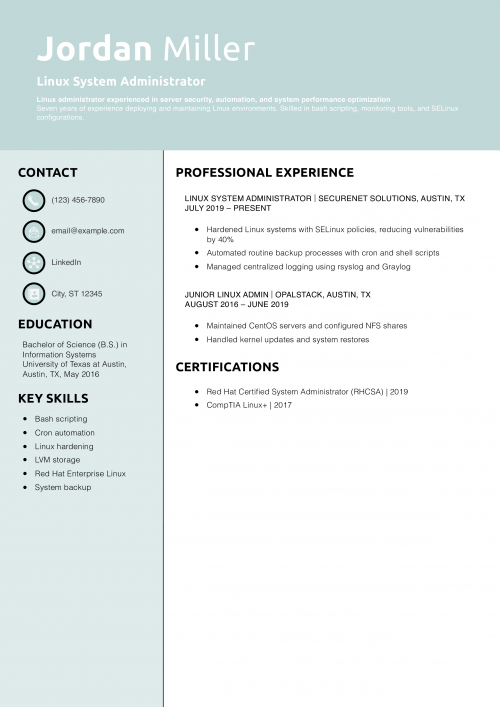
Jordan presents deep technical knowledge and practical security work. Their automation efforts reflect a proactive and skilled admin.
Want more advice? Check out resume action words.
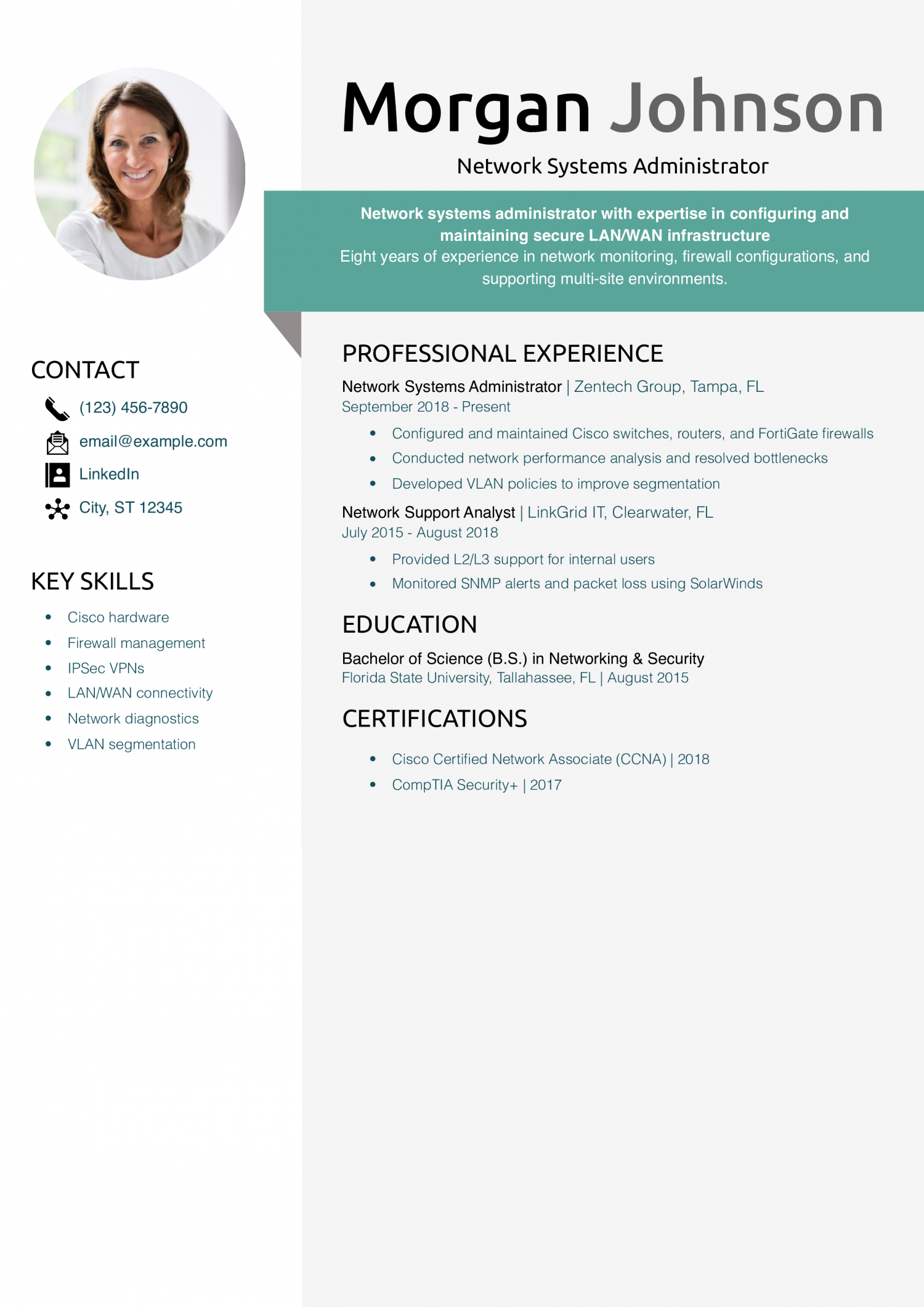
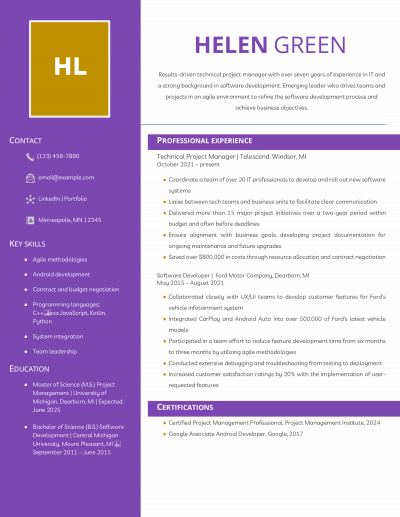
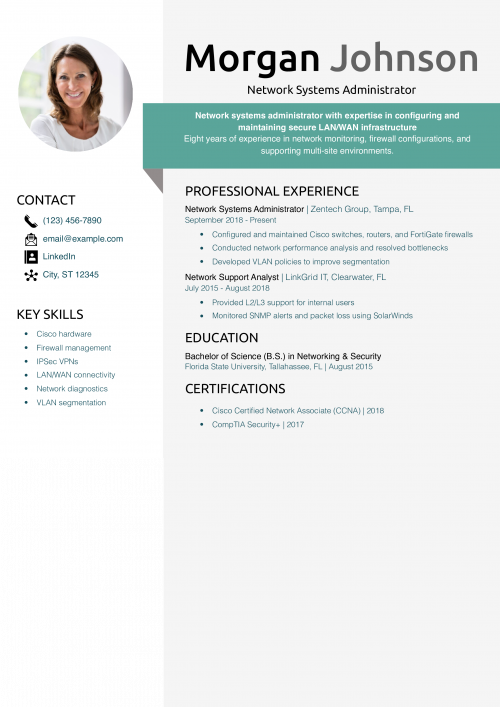
Morgan’s resume demonstrates relevant certifications, technical hardware knowledge, and quantifiable improvements to security and performance.
Need more tips? Explore technical skills in IT resume.
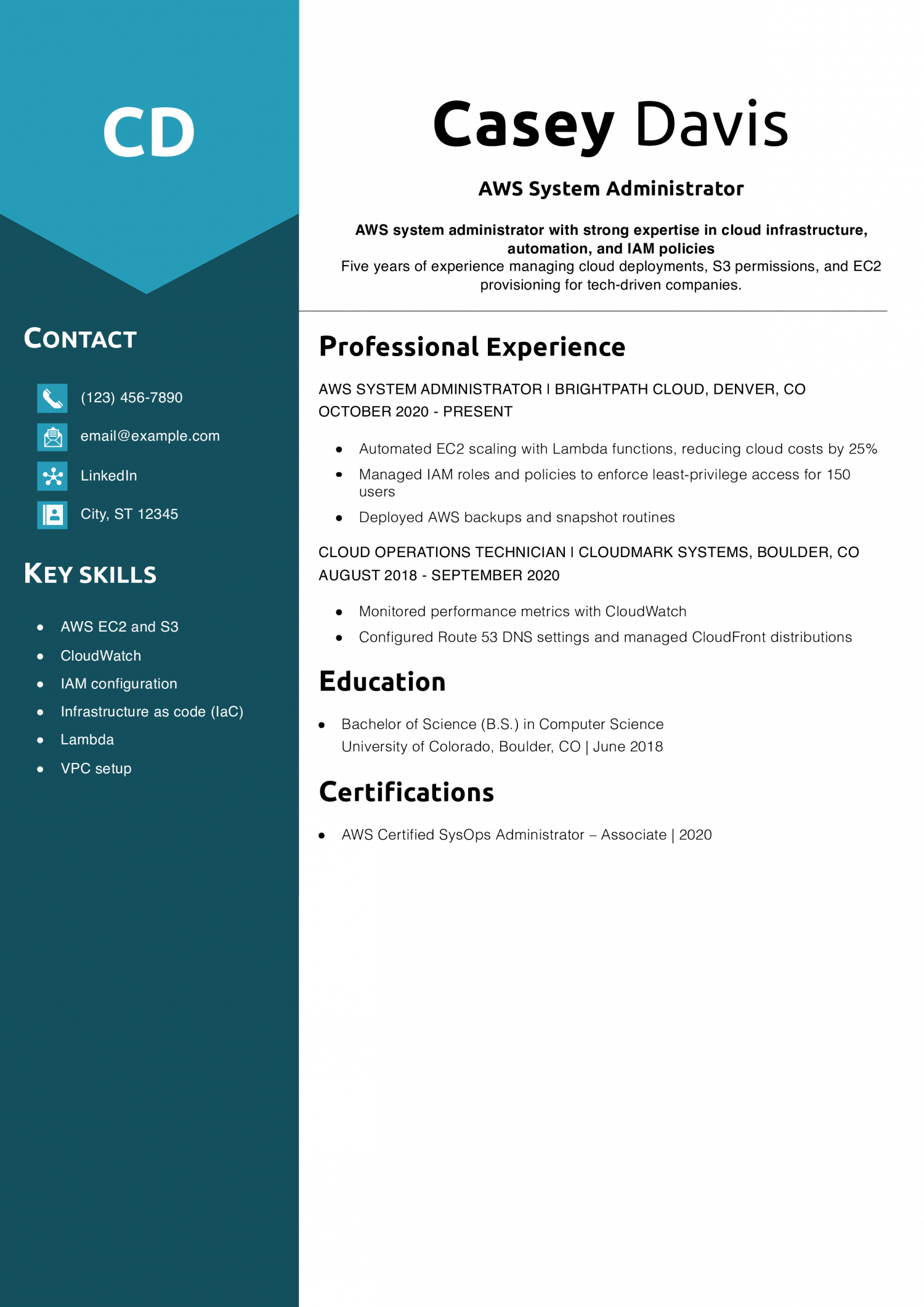
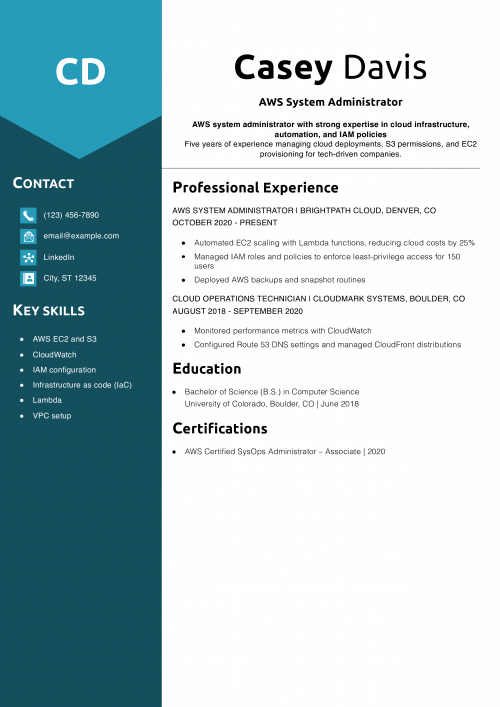
Casey demonstrates a solid understanding of cloud systems and security. They’ve included AWS-specific tools and metrics, making the resume keyword-rich and impactful.
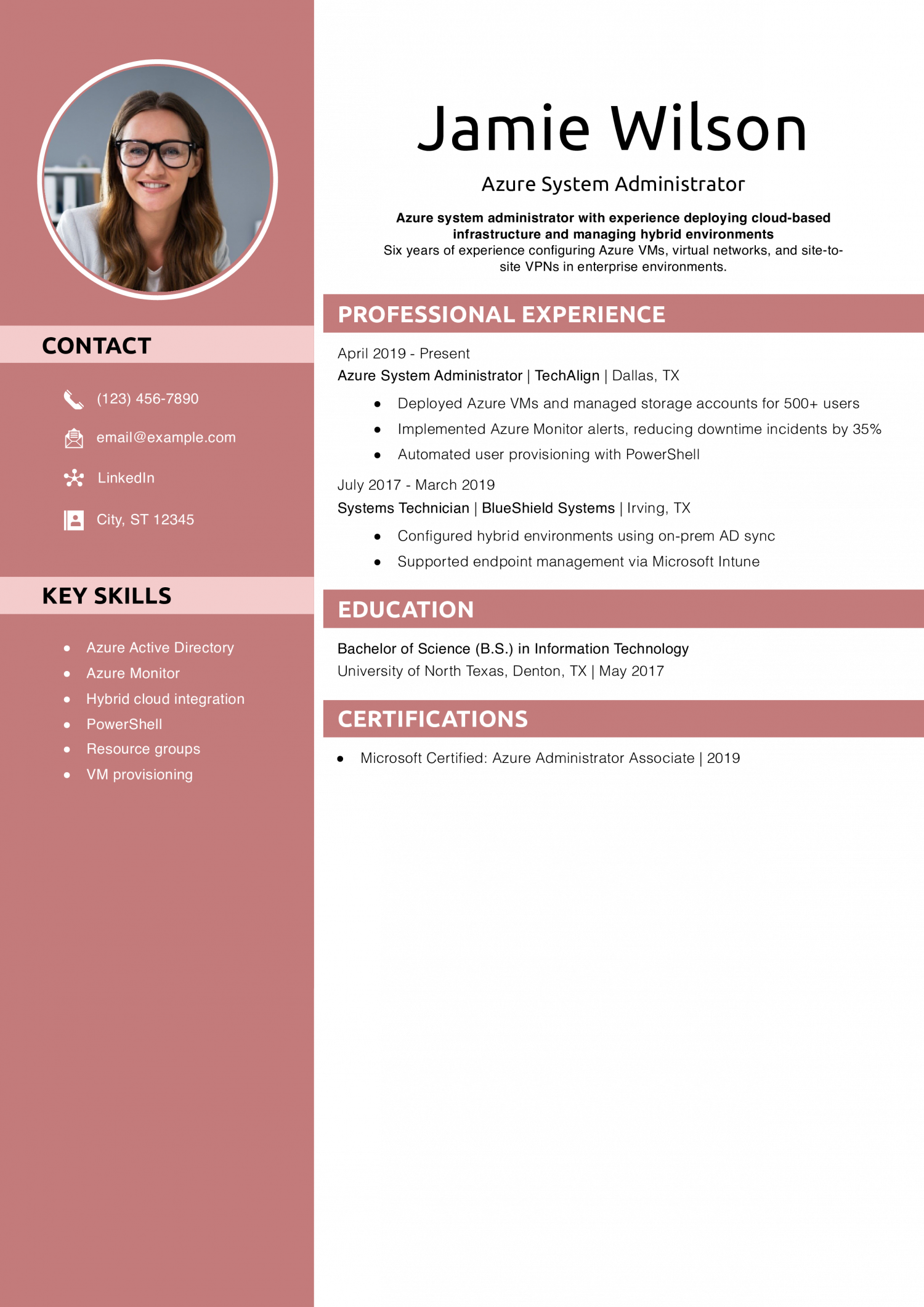
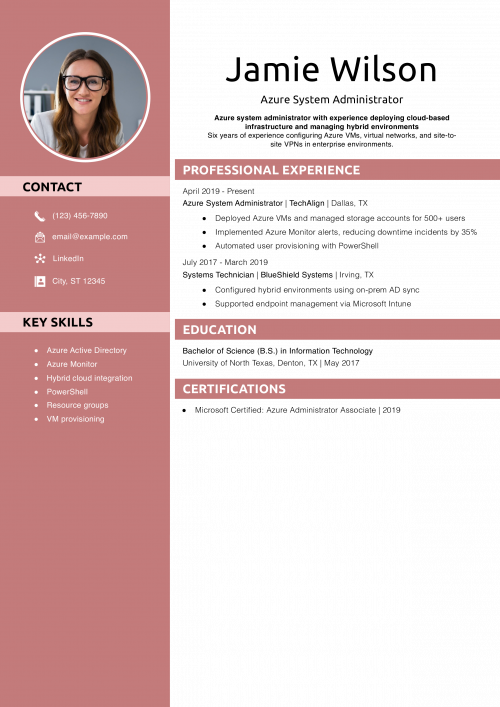
Jamie’s resume is tailored to cloud administrators working in Microsoft environments. They clearly detail hybrid experience and PowerShell automation.
Learn more at how to list skills on a resume.
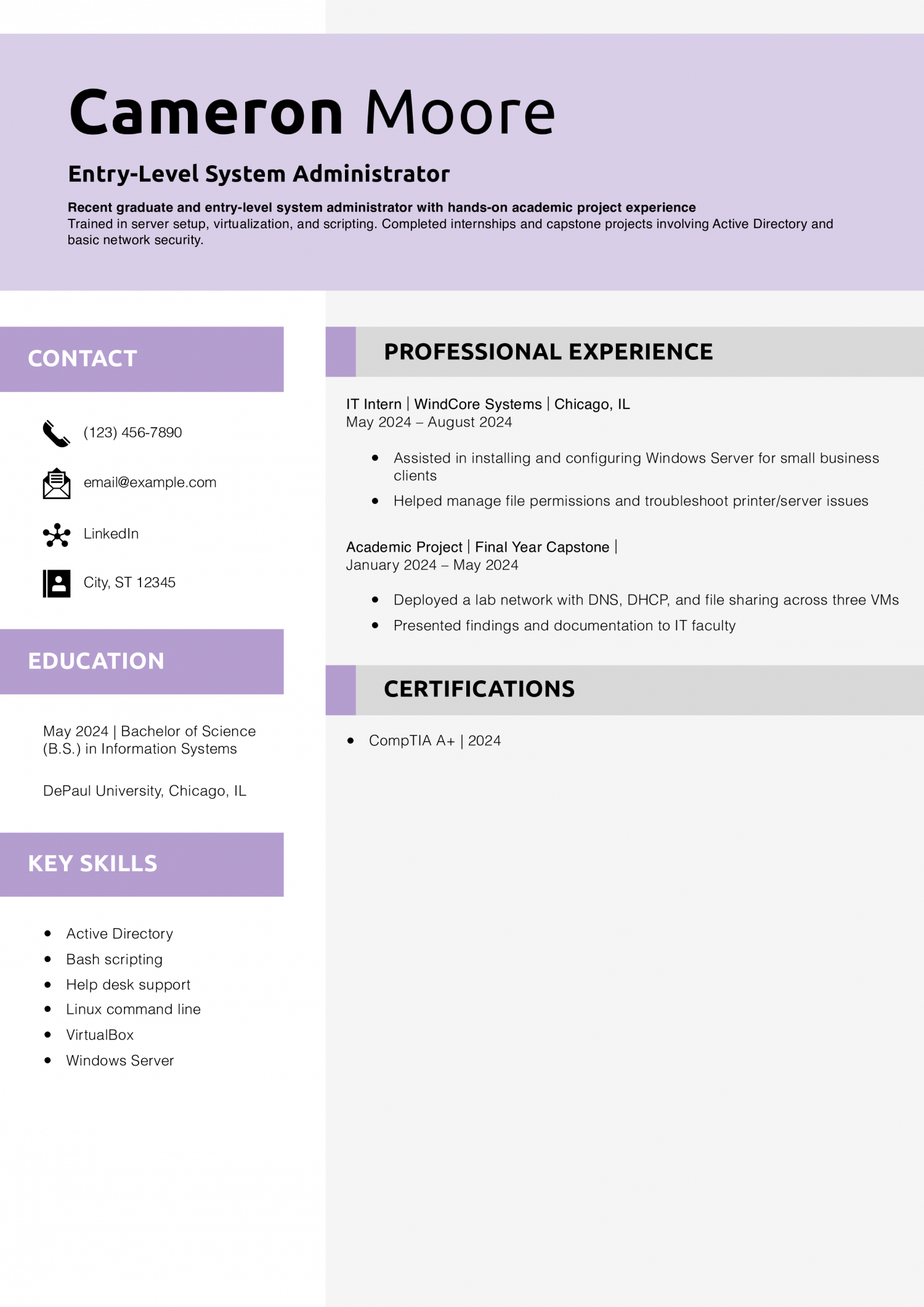
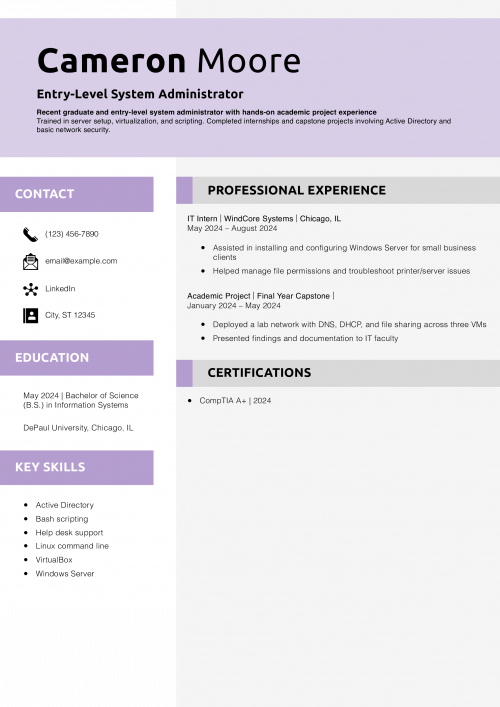
Cameron shows initiative and learning. They turn schoolwork into meaningful resume experience and pair it with a real internship.
New to the field? Check how to make a resume with no experience.
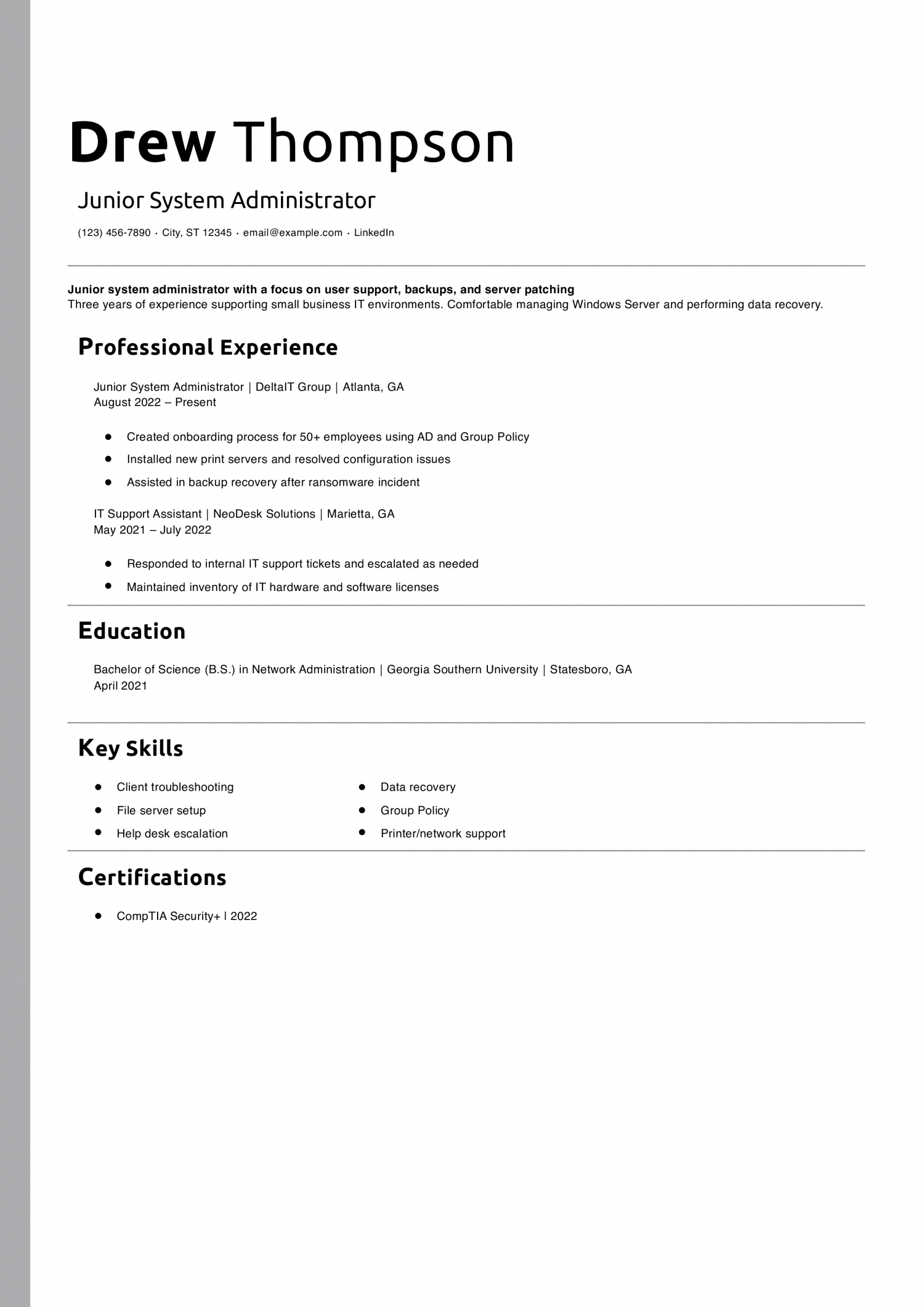
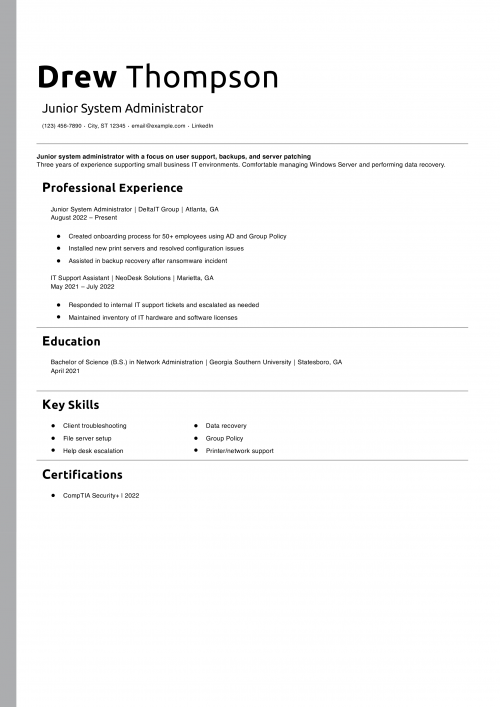
Drew’s resume uses action-oriented language and includes quantifiable tasks that show growth potential.
Need more guidance? Check out career advice: resume job description.
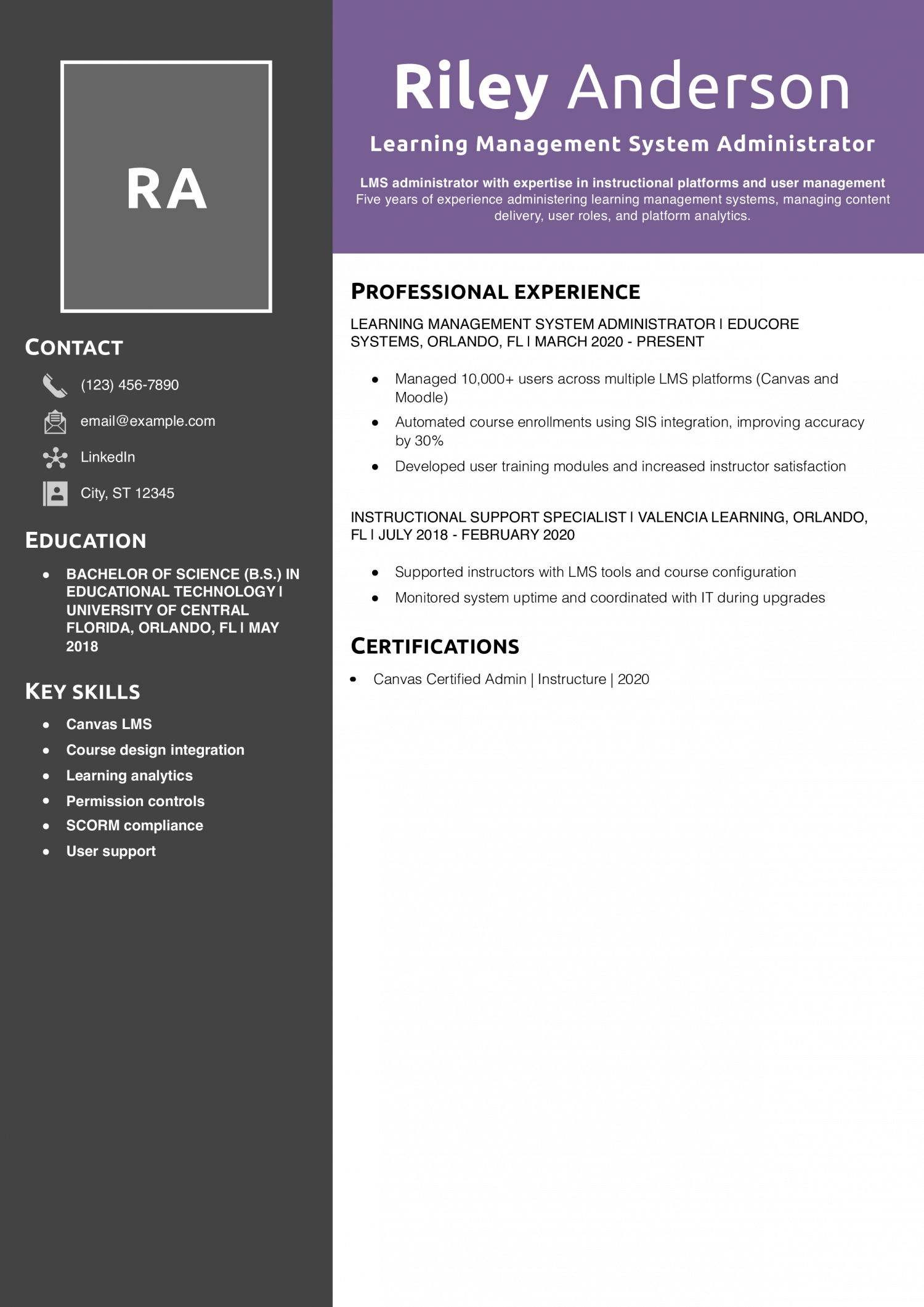
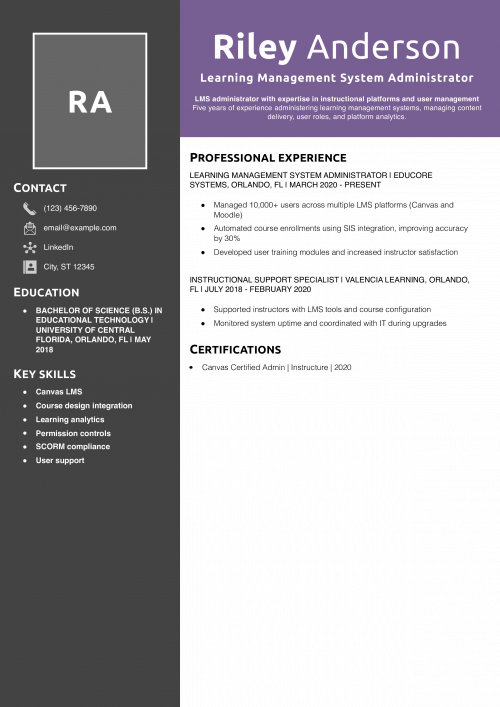
Riley can support large user bases, troubleshoot, and provide educator-focused value, which is critical in education tech.
See how to list education on a resume for more formatting ideas.
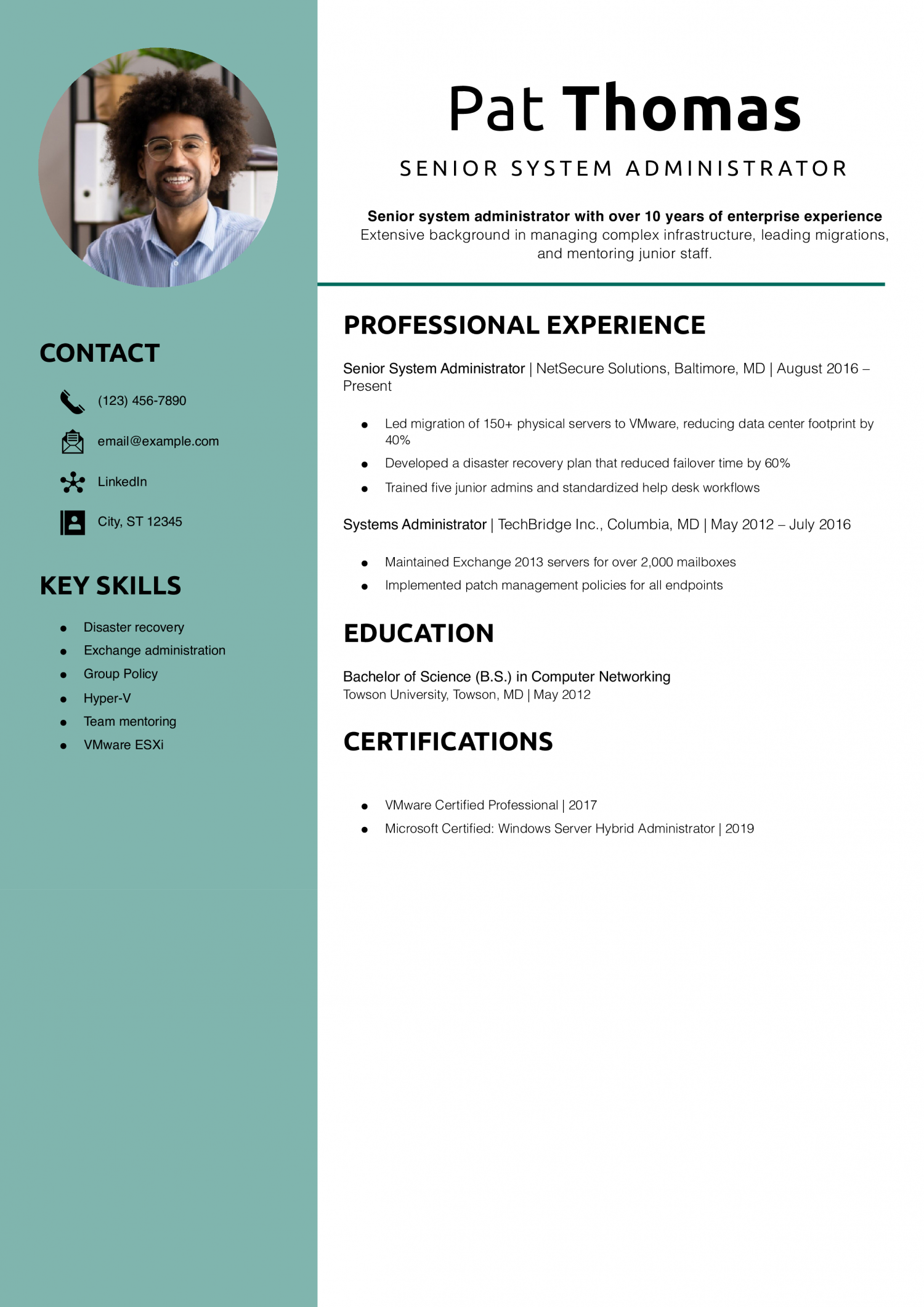
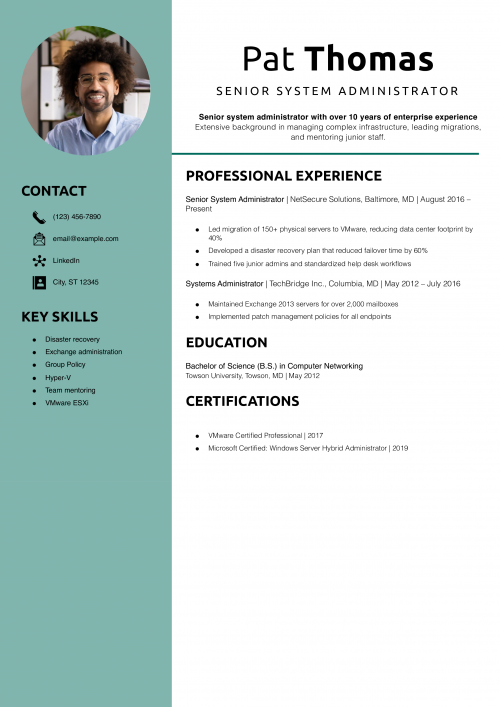
Pat highlights senior-level leadership and technical responsibility. Mentorship and measurable infrastructure upgrades add impact.
Want a stronger profile section? Read how to write a convincing resume profile.
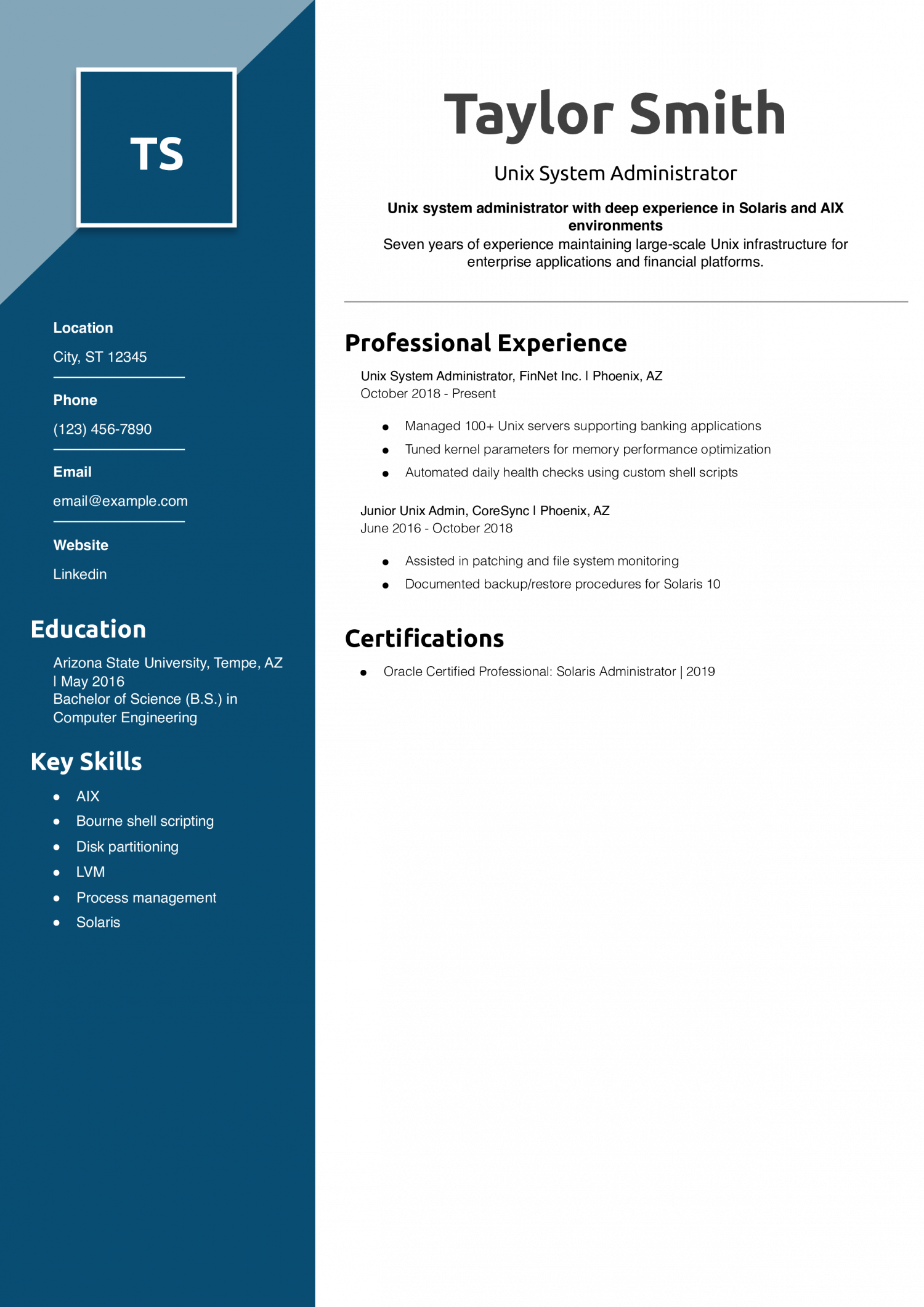
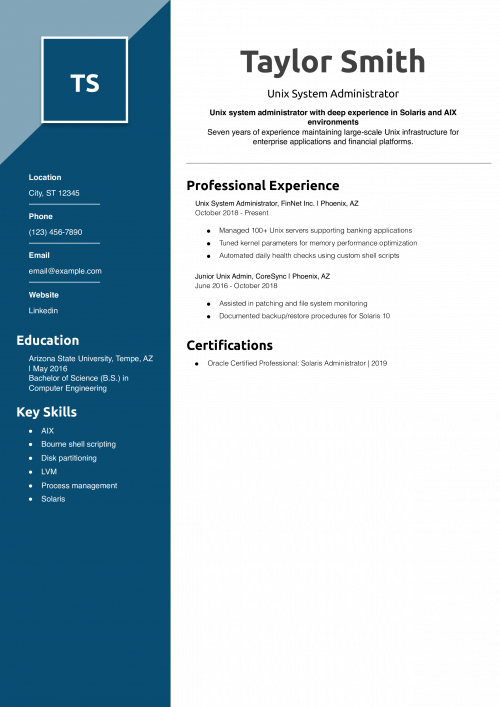
Taylor’s use of legacy OS knowledge and attention to detail in shell scripting demonstrates readiness for high-stakes environments.
For more like this, check computer skills for resume.
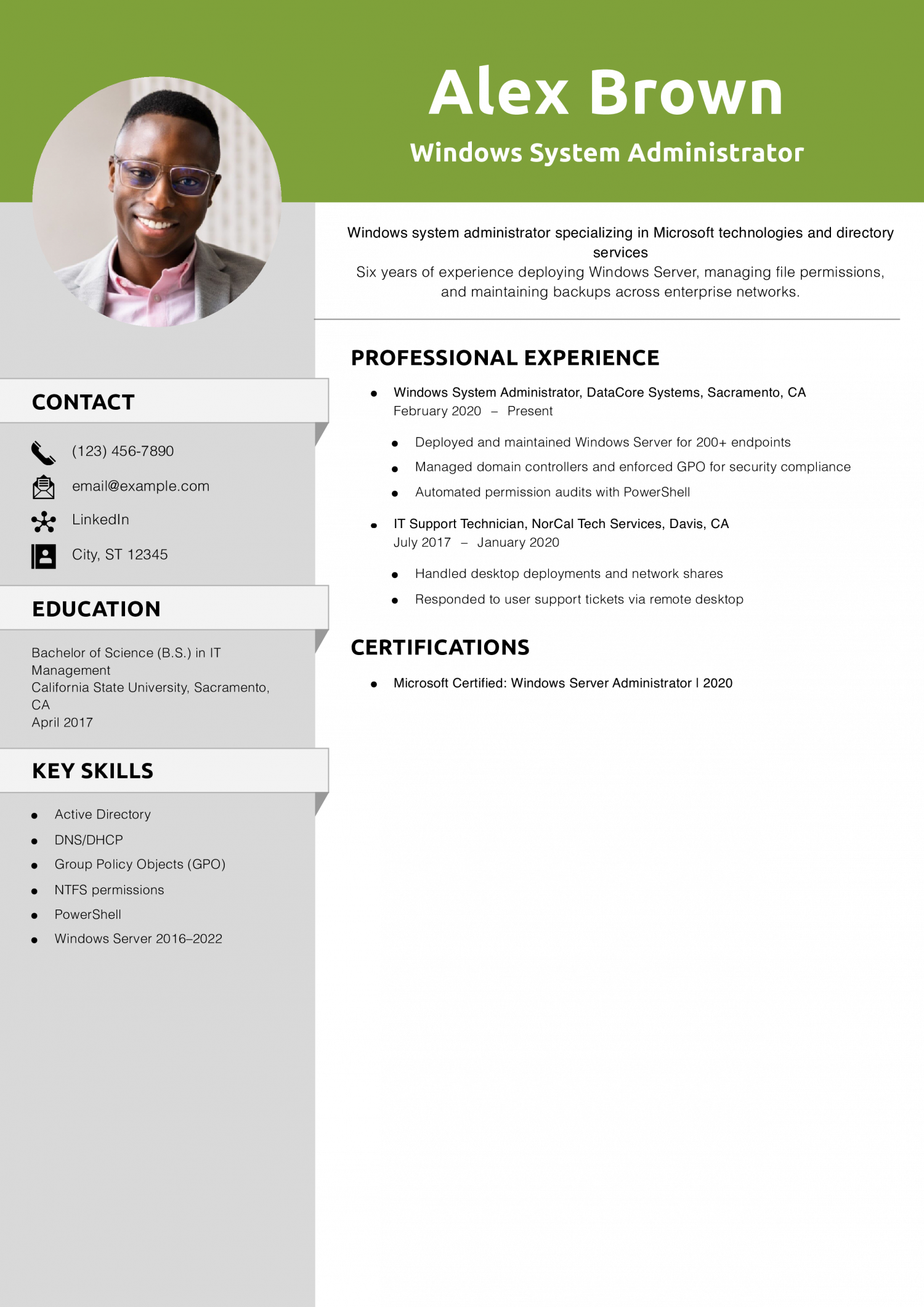
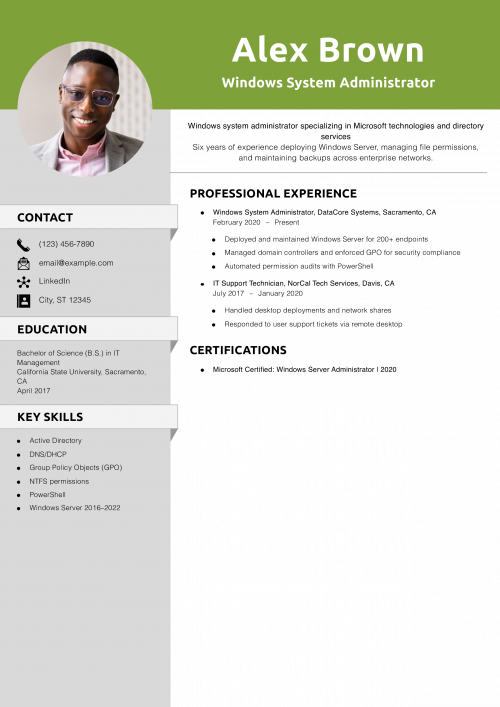
Alex effectively demonstrates Microsoft-focused expertise with hands-on examples of systems administration and automation.
Learn how many jobs you should list on a resume to optimize length.
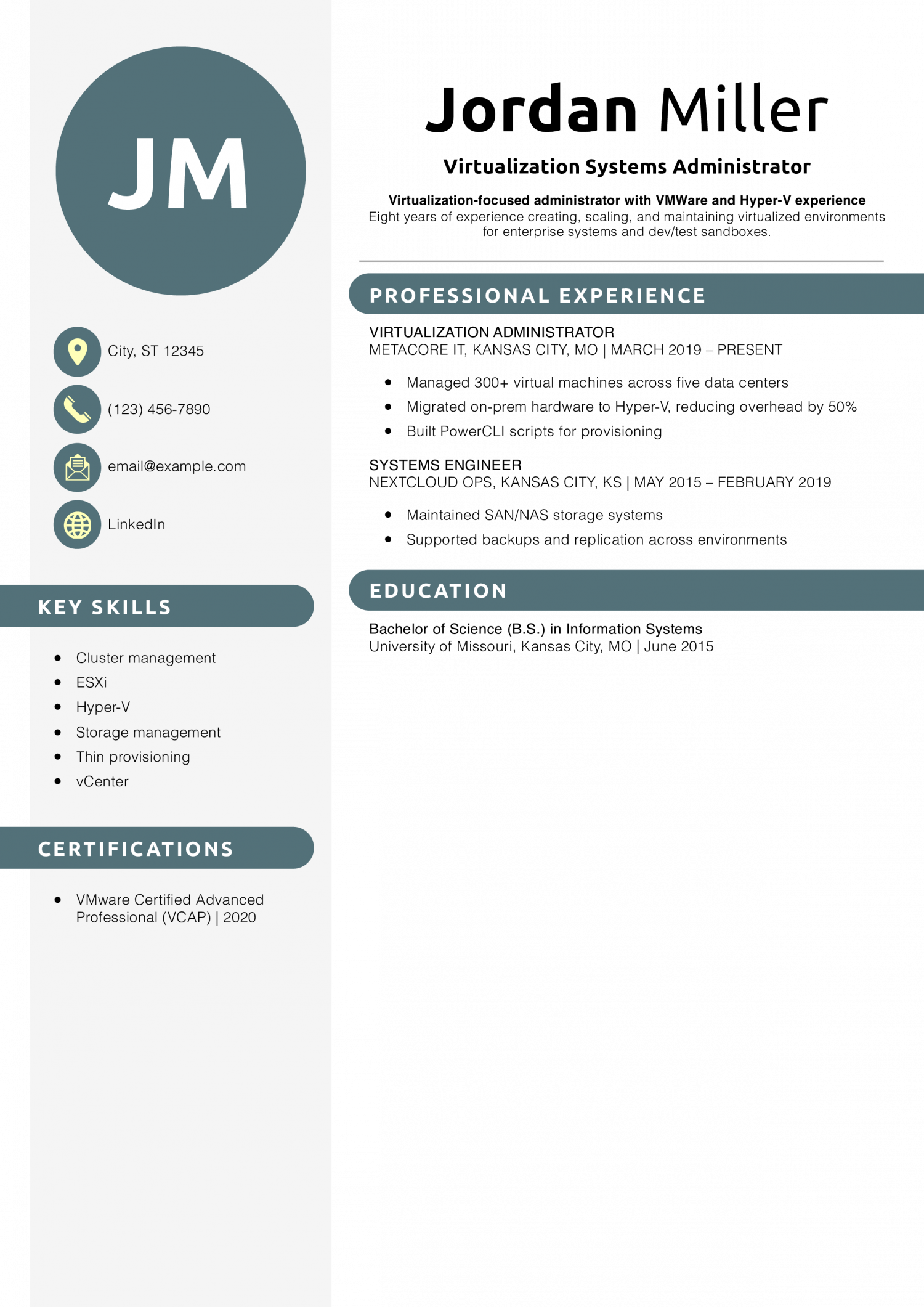
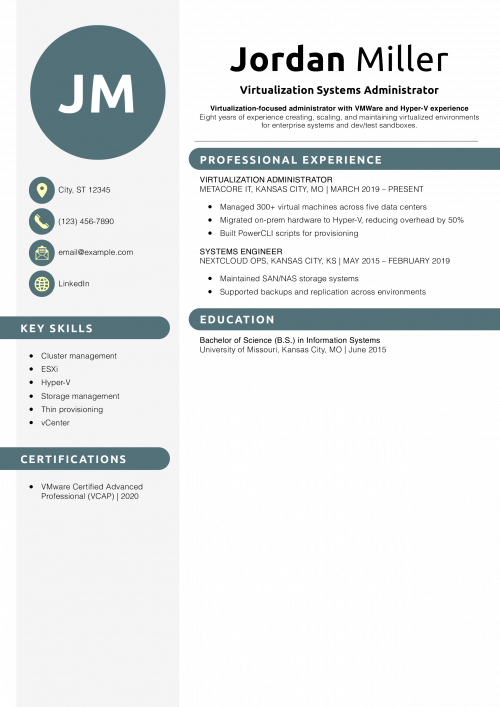
Jordan presents expertise in VMware and Microsoft environments and automation work that reflects real impact.
Want to fine-tune structure? Check out best resume formats.

Morgan’s resume balances hybrid and cloud-native work, showcasing automation tools employers look for.
Learn how to refine this section at how to show a promotion on a resume.
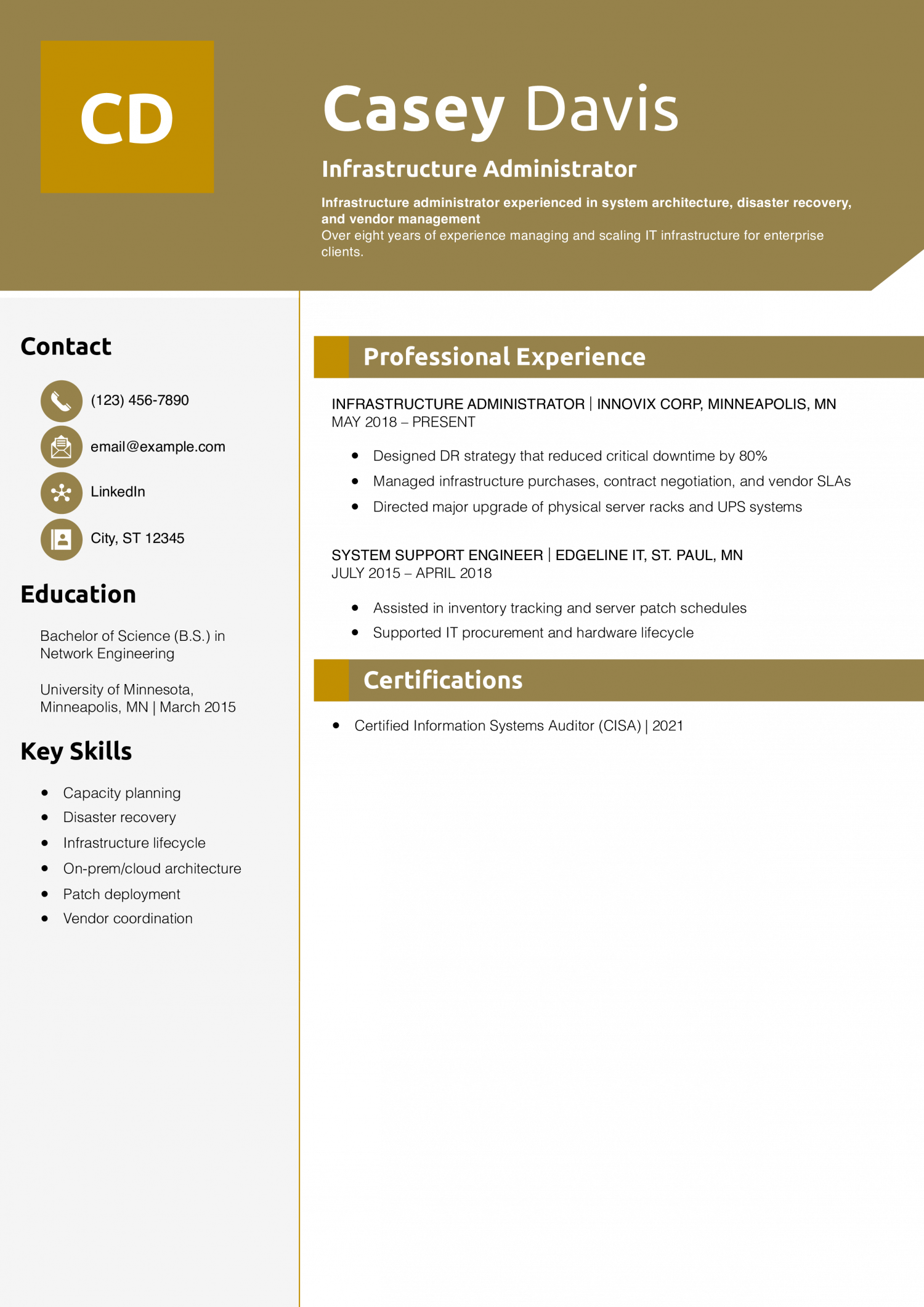
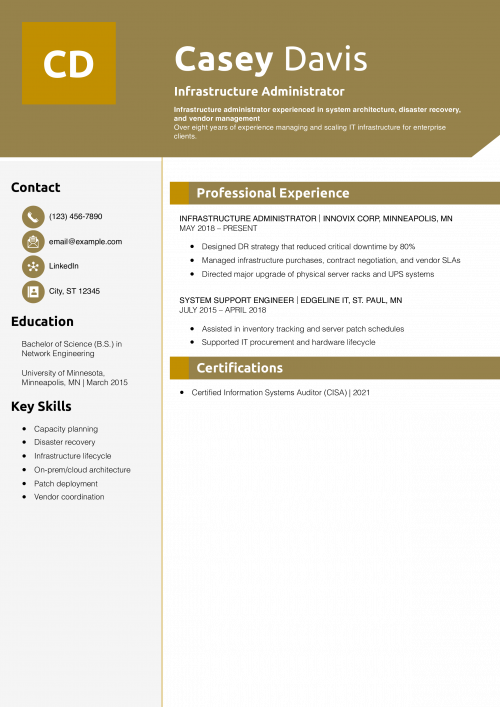
Casey’s resume goes beyond software to show infrastructure ownership and real ROI. Leadership in procurement and DR planning makes them stand out.
Need help presenting results? See resume personal statement examples.
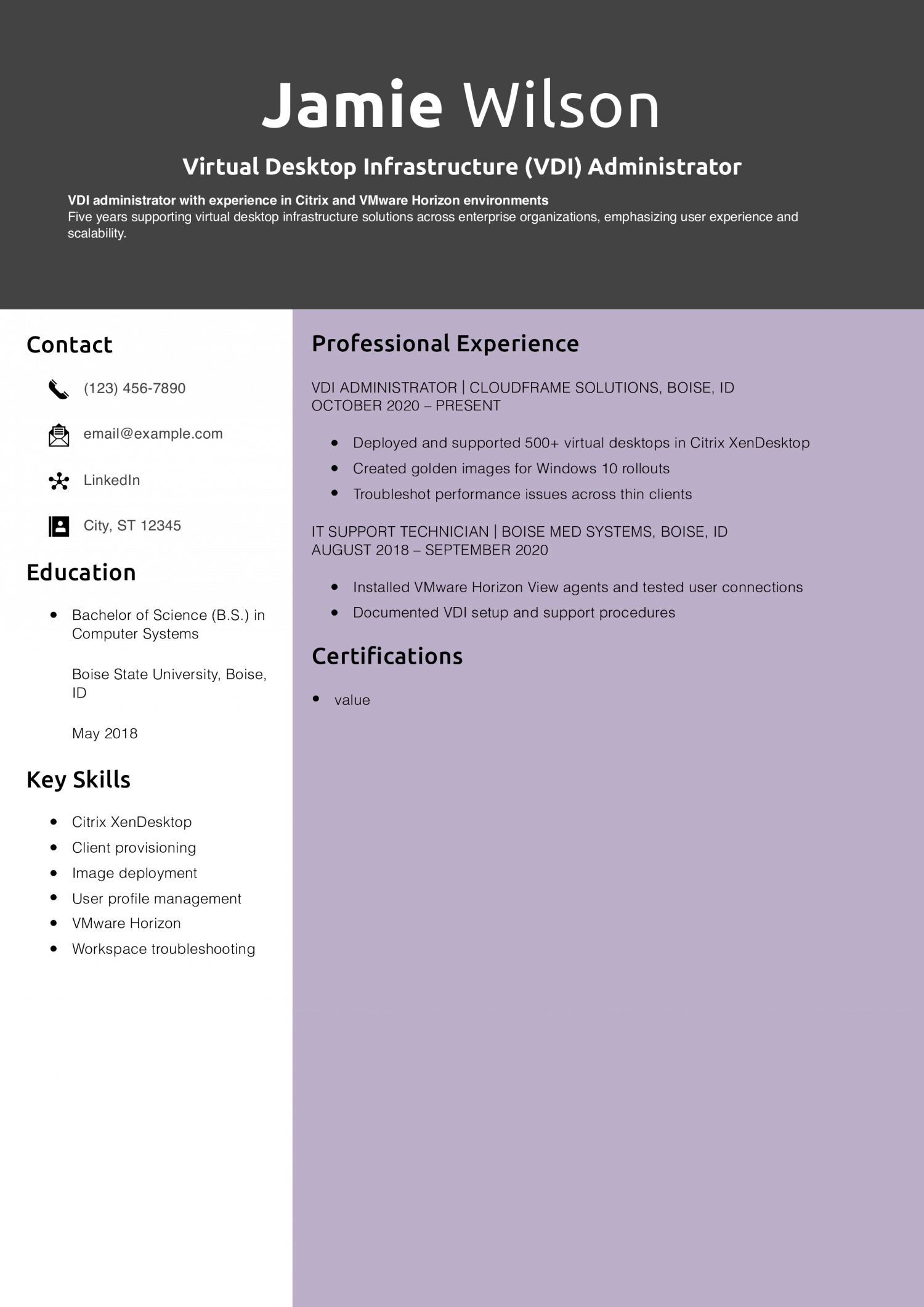
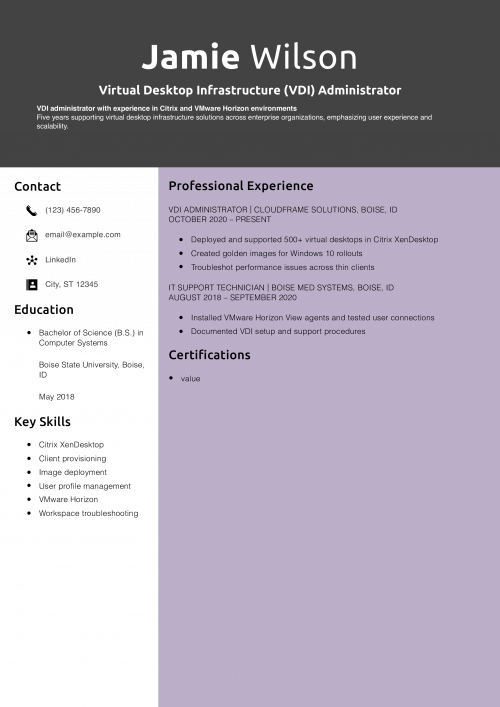
Jamie shows clear knowledge of the VDI platform and user-focused results. They also include key details on image management and virtual performance.
Want your formatting to stand out? Visit career advice: best looking resumes.

Cameron’s resume bridges classic systems admin work and modern DevOps practices. Their pipeline and scripting skills are standout additions.
Explore more keywords at resume keywords.
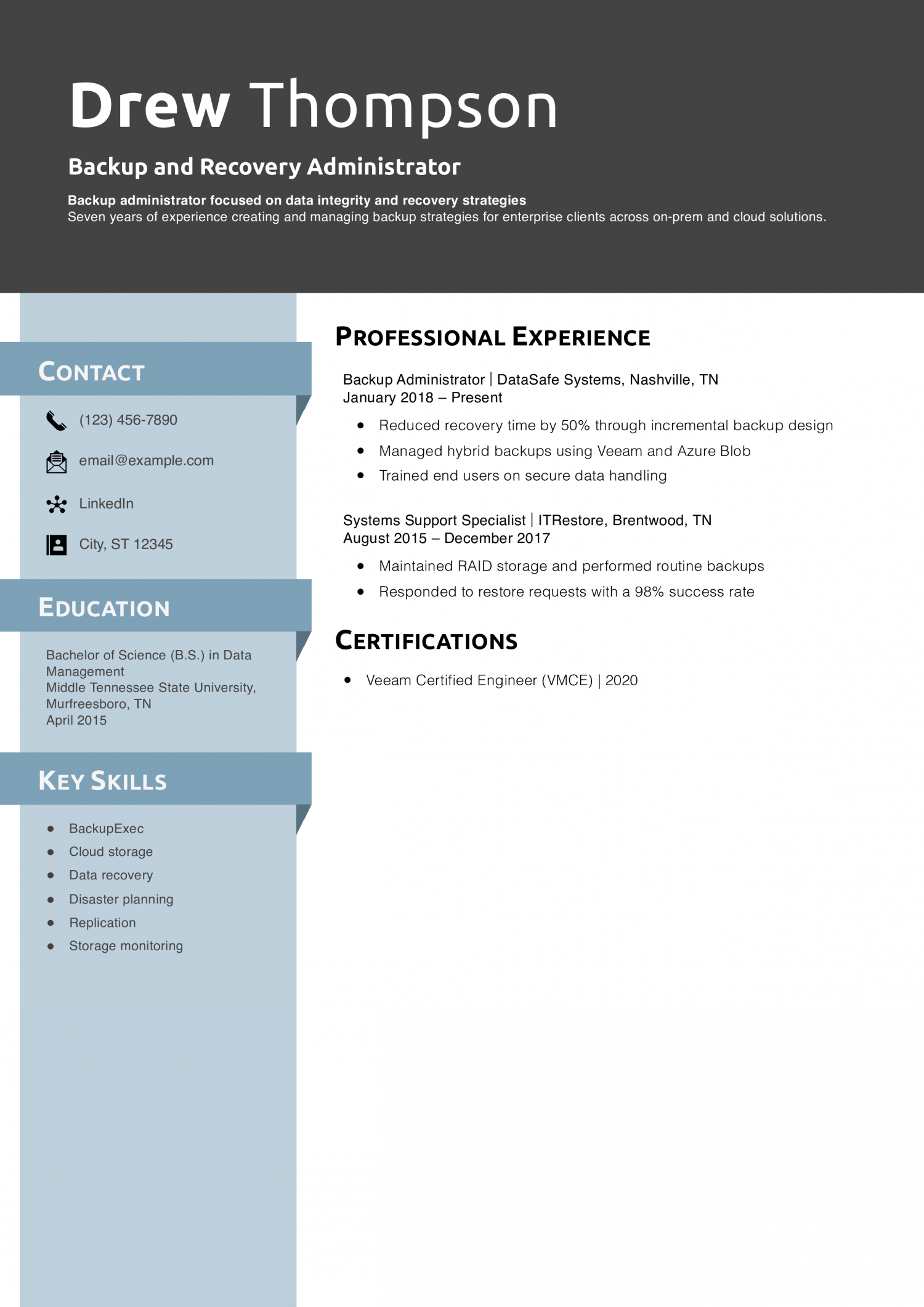
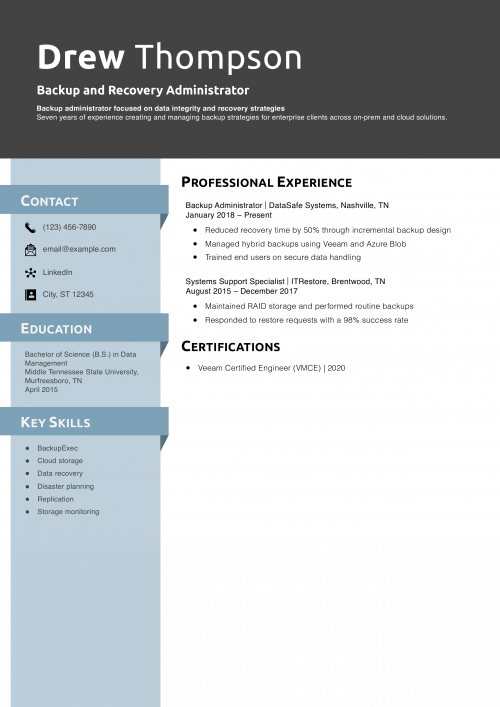
Drew shows impact on business continuity and data protection. Their use of metrics and tools adds credibility.
Need help naming this role? See job title examples for your resume.
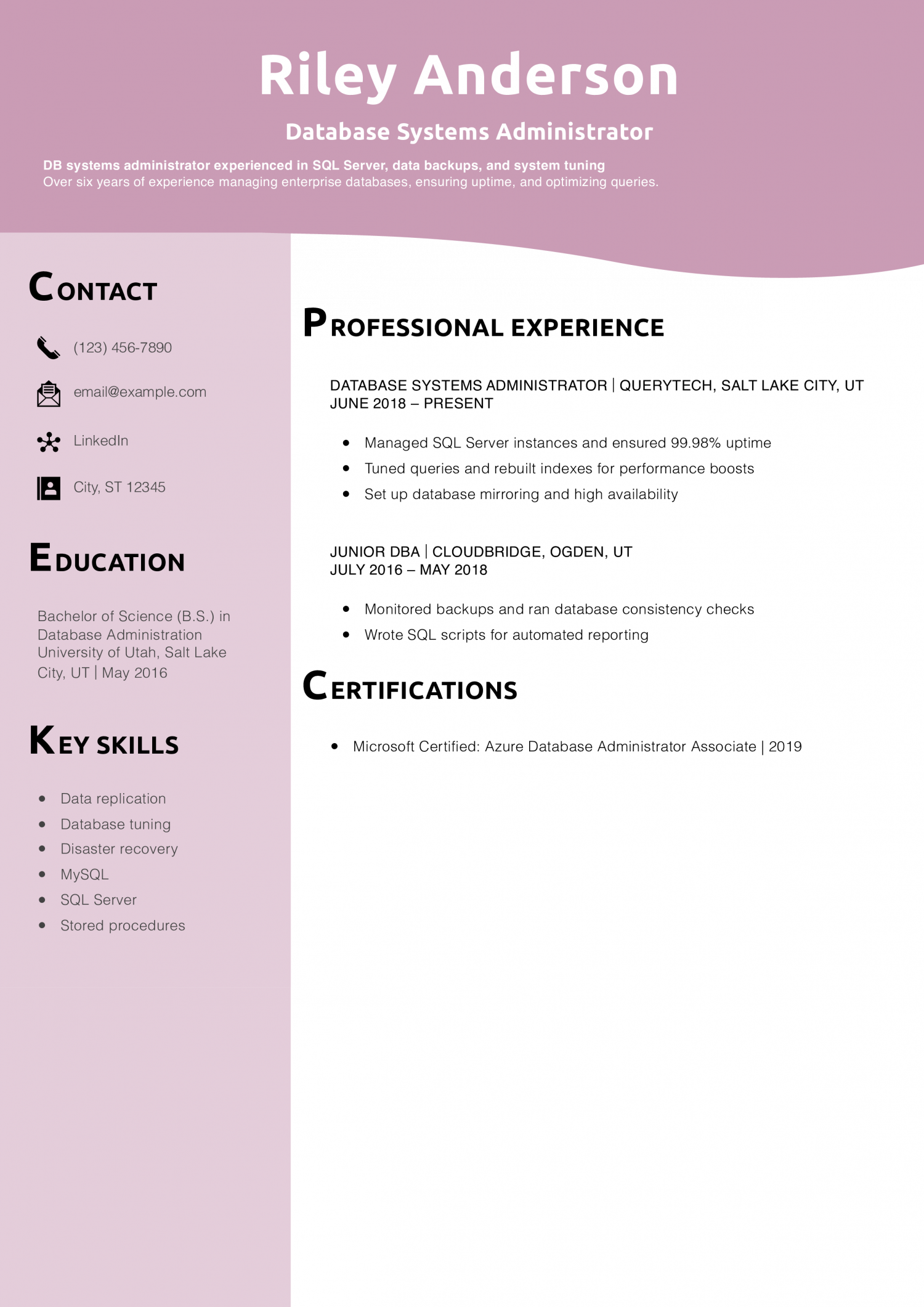
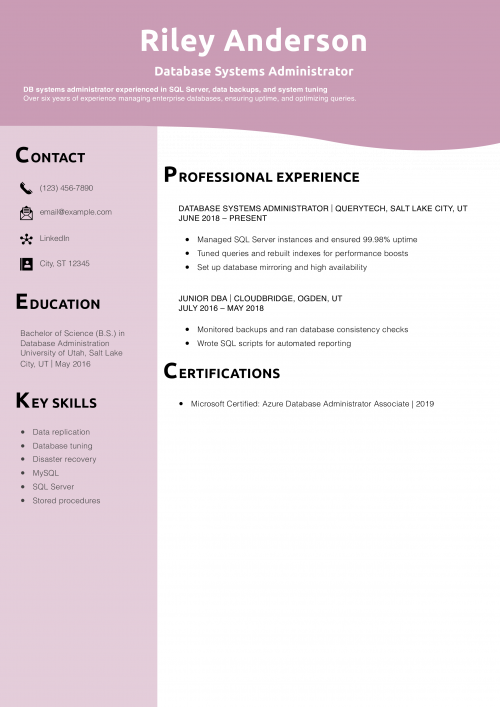
Riley’s resume shows real business-critical support and uptime management. Their SQL tuning achievements demonstrate value.
Learn how to structure your doc with resume outline examples.
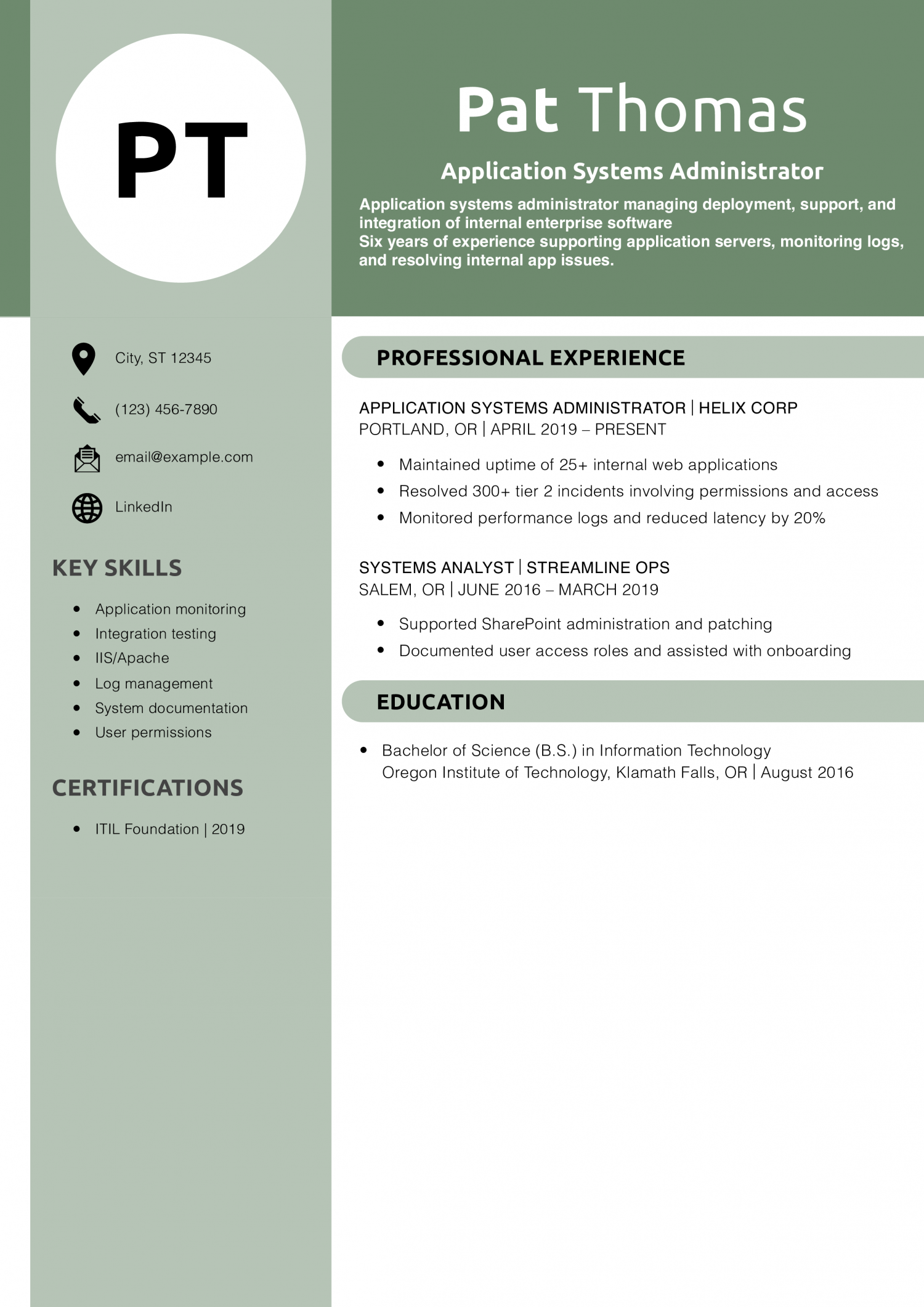
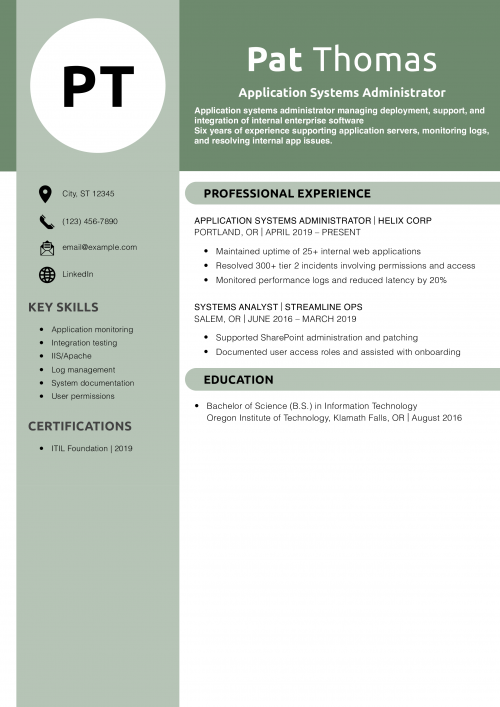
Pat’s resume emphasizes performance and internal systems management. Their use of metrics and incident resolution is effective and focused.
Want to improve impact? Try resume action words.
A template can help you organize your career information for an effective system administrator resume. Your system administrator resume should usually include these sections:
Before starting work on your resume, jot down your preferences for your target job duties, industry, company size, or work culture. These notes will help you determine and emphasize your best career details as you develop each section.
Give your full name, phone number, email address, location, and links to any online professional profiles. Ensure your current contact information so employers can reach you for an interview.
Your Name
(123) 456-7890 | [email protected] | City, State Abbreviation Zip Code | LinkedIn
Impress hiring managers at the top of your resume by giving the three to five primary reasons you can excel as their next system administrator. Consider what sets you apart from other candidates, such as your:
A seasoned information technology (IT) system administrator with proven experience managing and monitoring systems and infrastructure, identifying and resolving performance bottlenecks, and enhancing network security at leading tech companies. Certified in Azure Administration, Network+, and Information Systems Security.
For each job in your recent work history, brainstorm your (possibly various) duties and achievements on a separate document or sheet of paper. Then, review your notes in light of your target job, and choose the most relevant ones to feature as bullet points in this section. You can create a detailed and focused experience section by filtering your information.
Senior Linux System Administrator, International Business Machines (IBM), New York, NY | June 2016 – Present
When possible, cite relevant performance data and metrics to show the results you’ve achieved as a system administrator. Hard numbers put your work in context and give recruiters a better sense of your scope and impact.
For each job posting you respond to, note any details about the hiring organization’s size, industry, customer base, or products and services. How do these areas compare to your recent experience? You can make a stronger first impression on the hiring manager by citing these similarities in your profile.
For instance, say the company is in manufacturing. You could enhance your profile by changing your first line from “Manager with seven years of experience” to “Manager with seven years of experience including three years in manufacturing.”
Writing a resume can be hard if you don’t have real-world experience. But remember, you still have valuable skills and knowledge from your education and training. Include any relevant coursework you’ve done or certifications you’ve earned. Also, describe volunteer work or internships you’ve completed in your field, and emphasize your work ethic and willingness to learn. By focusing on these qualities, you can show you’d be an asset to any team.
With the education and certifications sections, you can show you have a strong knowledge base in your field. Cite any credentials you’ve earned that speak to your abilities as a system administrator. Below are templates and examples to help you organize this information on your resume (note, years are optional).
Template:
[Degree Name], [School Name], [City, State Abbreviation] | [Graduation Year]
[Relevant coursework or honors]
Example:
Bachelor of Science in IT, Stanford University, Stanford, CA
Template:
[Certification Name] | [Awarding Organization] | [Completion Date]
Examples:
Cisco Certified Network Professional (CCNP), Cisco
A skills section lets you quickly show how to add value to an organization. It also helps your resume perform well on applicant tracking systems (ATS) employers use to screen candidates. Below, you’ll find some key terms and skills to consider for this section:
| Key Skills and Proficiencies | |
|---|---|
| Database management | Network configuration and management |
| Network maintenance | Network security protocols |
| Policy development | Security management |
| Server maintenance | Shell scripting and automation |
| System backup and recovery | System monitoring |
| System upgrades | Technical troubleshooting |
| User support | |
One of the best ways to enhance your resume is by starting each bullet point with a strong action verb. Dynamic verbs help you make your resume clearer, more concise, and more engaging than with nouns or noun phrases.
The following list can help you find a good mix of action verbs for your system administrator resume:
| Action Verbs | |
|---|---|
| Created | Decreased |
| Enhanced | Fostered |
| Generated | Grew |
| Improved | Increased |
| Introduced | Lowered |
| Managed | Prevented |
| Ranked | Reduced |
| Streamlined | Updated |
| Won | |
The best resume templates are simple and easy to edit. Choose one that lets you quickly add, delete, flesh out, rearrange, and reorder sections. With a flexible design, you can tailor and optimize your resume for each job application.
First, look closely at the job post text and note any repeated or emphasized words. Compare these phrases to the language you're using in your resume, particularly the profile and key skills sections. Then, seek ways to align your resume language with the job posting while not copying phrases or misstating your background. For example, if the organization seeks someone collaborative, call out that aspect of your experience in your profile. Or say the company has many non-English speaking customers. Cite your foreign language skills in your profile and as a separate section farther down the document. With adjustments like these, you can make your resume more relevant to each opportunity.
The key difference between a System Administrator CV and a System Administrator resume example is the level of detail. A CV is typically more comprehensive, listing all relevant experience and achievements, whereas a resume example is more concise, focusing only on the most relevant information for a particular job. The CV can also include academic background and research work, while a resume is usually more focused on professional experience and key accomplishments.
The combination or hybrid format merges a functional resume's profile section with a chronological resume's experience section. Most modern resumes (including the ones on this page) follow this format because it gives hiring managers the clearest view of an applicant's strengths and work history.
A good cover letter can enhance your job application. To write a standout letter, get specific. Tell the hiring manager why you’re interested in their organization and the system administrator role they hope to fill.
Executive Resume Writer and Career Coach
Andrew Stoner is an executive career coach and resume writer with 17 years of experience as a hiring manager and operations leader at two Fortune 500 Financial Services companies, and as the career services director at two major university business schools.
Resume Templates offers free, HR approved resume templates to help you create a professional resume in minutes. Choose from several template options and even pre-populate a resume from your profile.